Leaderboard
-
gearhog
Supreme User4Points1,732Posts -
jazzdude
Supreme User2Points1,151Posts -
SurelySerious
Supreme User1Points2,906Posts -
brickhistory
Supreme User1Points2,128Posts



Popular Content
Showing content with the highest reputation on 06/22/2019 in all areas
-
3 points
-
2 pointsIf it's so vital to their interests, maybe they should step up and defend their interests... Or press the UN to do something if it's a global interest.2 points
-
1 point
-
1 pointOne of my first Herc instructors told me the first step in any emergency was "wind your watch." I'm sure there will be a significant response, but I want it to be carefully considered and appropriately measured.1 point
-
1 pointI don’t think killing Iranians is an appropriate level of response for them shooting down a robot. One of the advantages of RPAs is we can lose a few. Had they killed aircrew, let’s start collecting scalps. This is a perfect time to respond with non kinetic cyber options. Or non lethal kinetic options if those can be identified.1 point
-
Separate but related: If you joined the service in Texas, and subsequently live in Texas post-service, the Hazelwood Act provides for dependent tuition if said dependent attends a state university. Since both my wife and I are in the we can use the GI Bill for ourselves but not transfer the benefits to kids category, this was an amazing find. God bless Texas!1 point
-
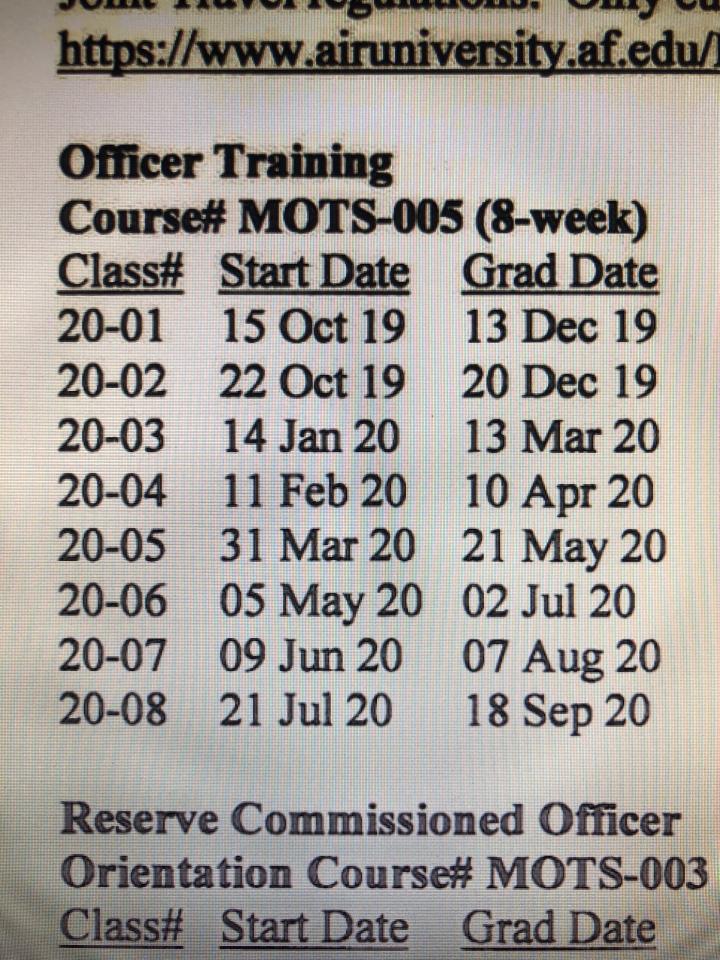
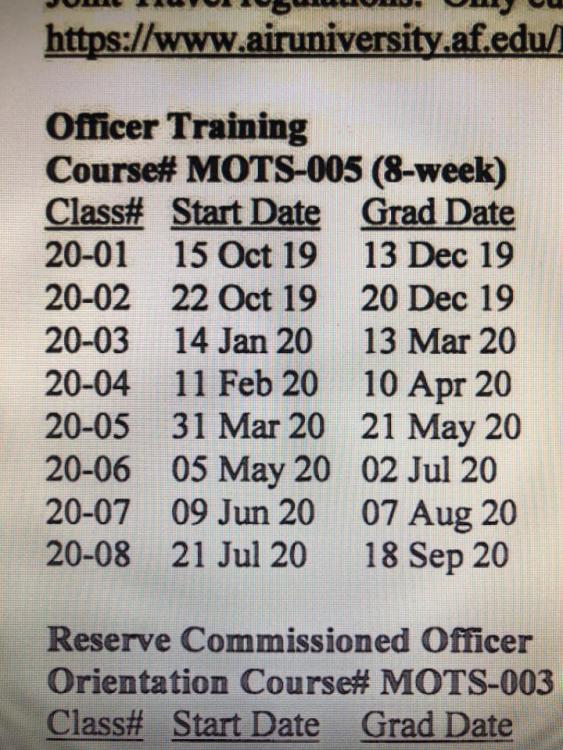
1 pointFY20 TFOT Class dates for those of you trying to find some clarity in your crystal ball while your paperwork gets sorted out.
 1 point
 -
1 point