

Leaderboard
-
congressman
Registered User8Points68Posts -
Homestar
Supreme User6Points1,491Posts -
ClearedHot
Administrator5Points5,176Posts -
Eli
Registered User4Points32Posts



Popular Content
Showing content with the highest reputation on 03/01/2021 in all areas
-
8 pointsNo Fear Thanks fellas. Fear is really all over politics and its corrosive. Im at total peace. Put the above video out yesterday on Fear to begin that convo on what is driving our politics and what is the next generation learning, besides be crazy=get famous.8 points
-
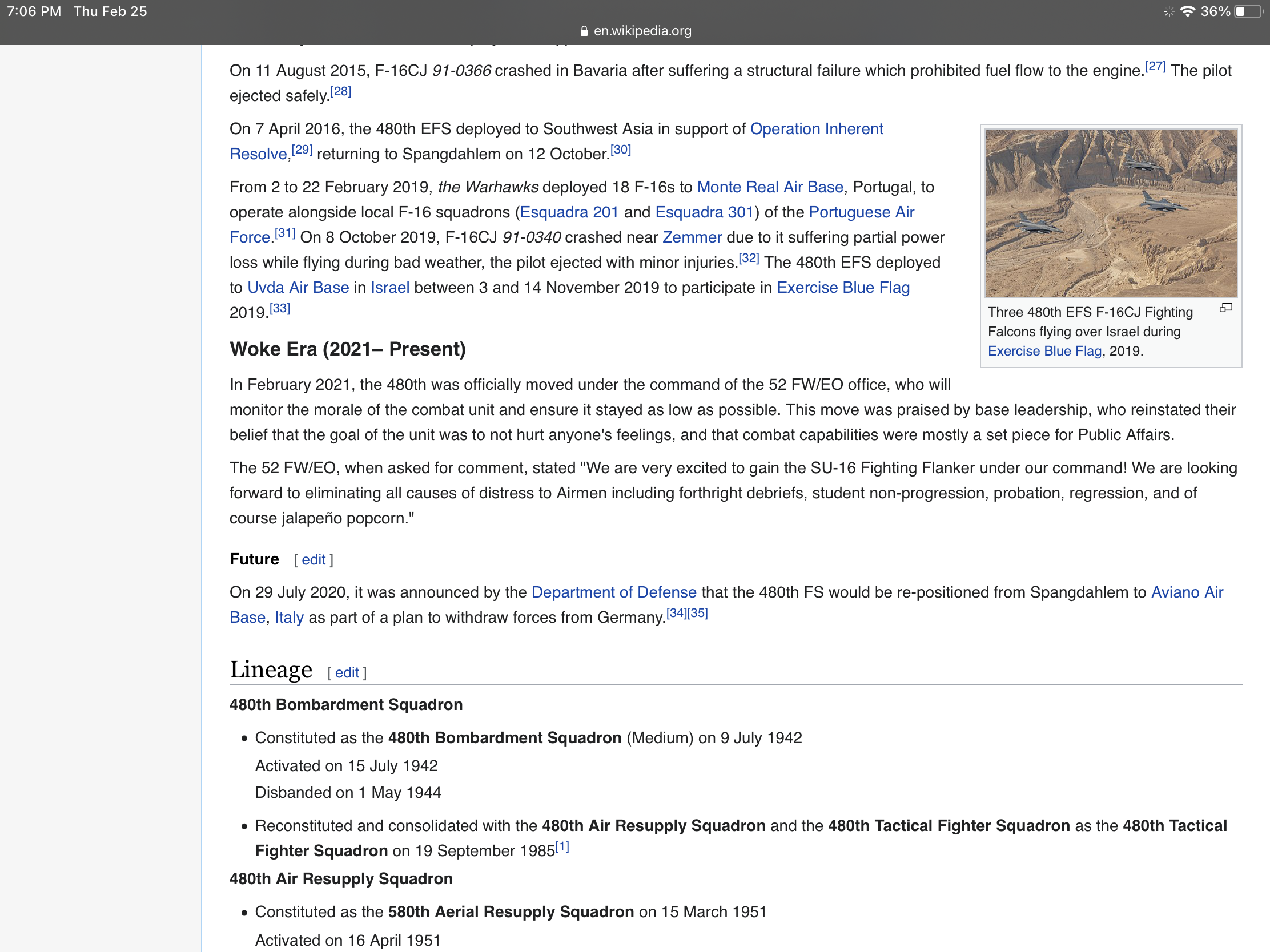
4 pointsNo dog in the fight. But the 480FS Wikipedia page has an awesome “Woke era to present write up.” never seen that before must be a new AF Historian.
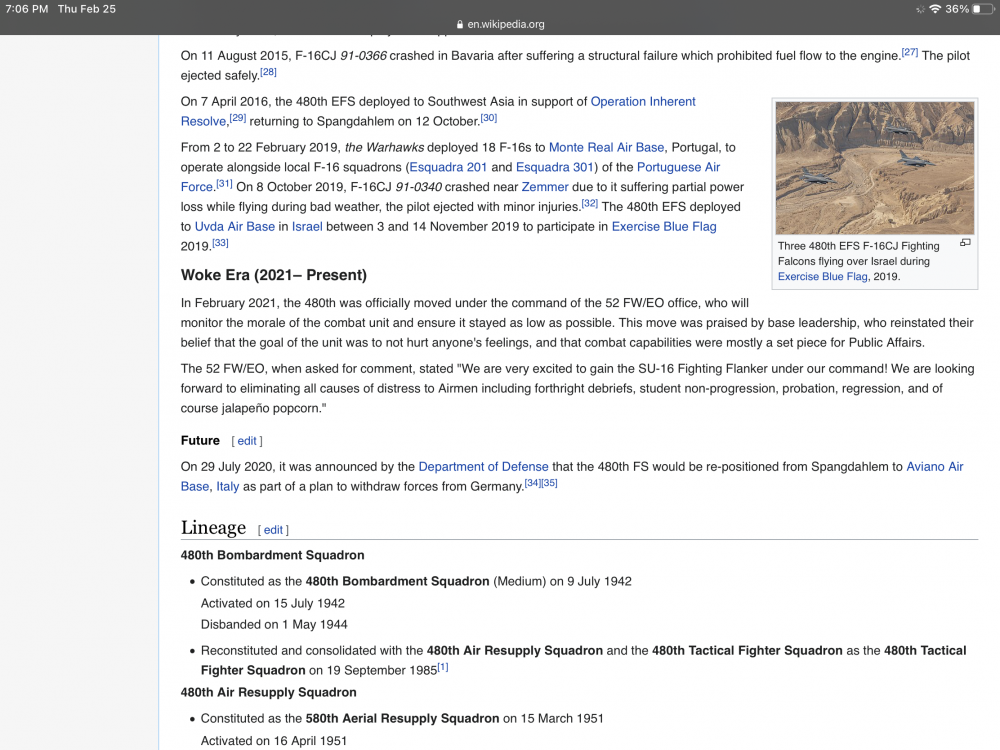 4 points
 -
Like what? The gym? Specifically designed for pilots and off limits to the rest of the base? With a professional fitness trainer? That doesn’t seem bad to me.3 points
-
3 pointsDid anyone else watch this and think she looks/sounds like a real life version of a Southpark character?3 points
-
The ink on the revised, idiotic new UPT syllabus isn’t even dry and now CSAF says, “We may have pushed...a little too far.” Geebus, ya think? If only hundreds of IPs told them that ahead of time. For years.3 points
-
2 points2 points2 pointsIt was a relatively recent change in policy (maybe two years ago?). CCT done at initial qualification only.

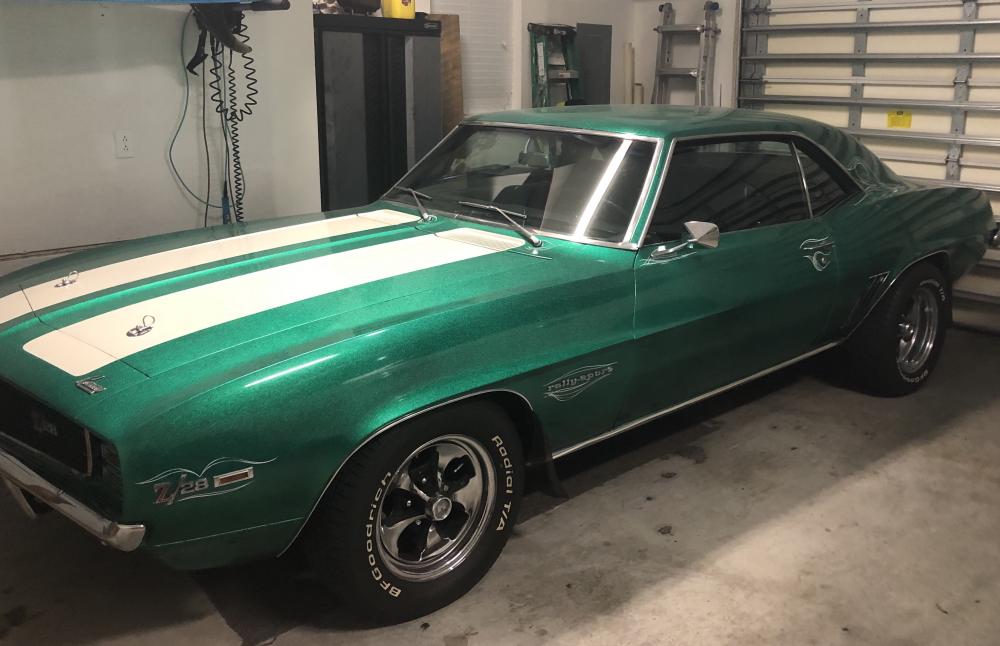
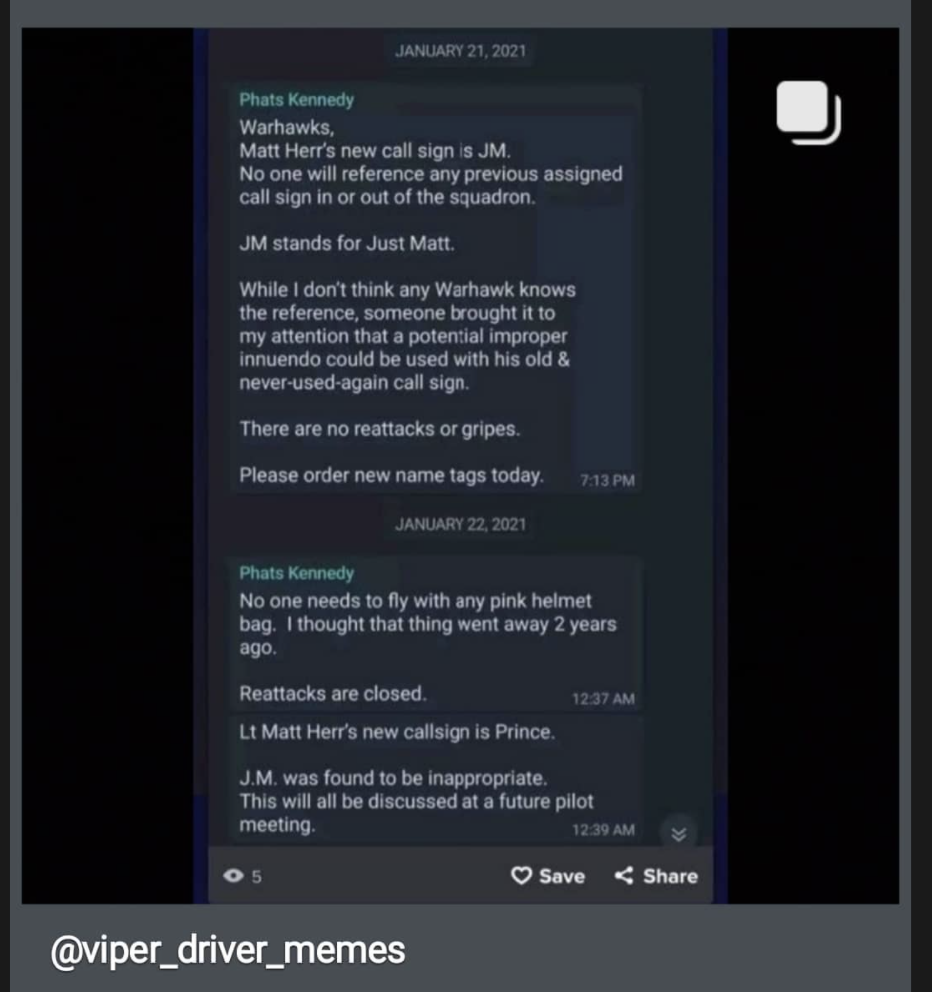
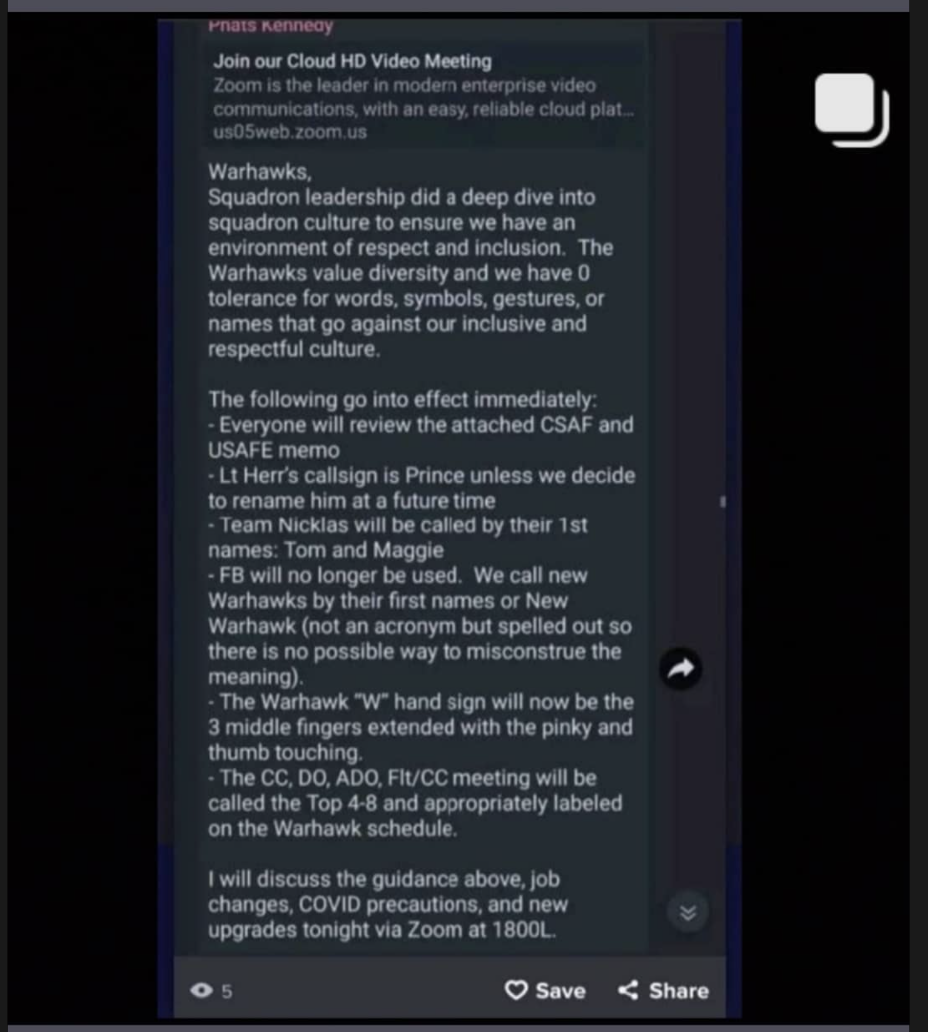
 2 points2 pointsIn my very limited time, I never did either. A few friends I work with now who were in the Navy said that ships definitely have gangs from all ends of the color spectrum. A Marine I work with said racism is pretty rampant but to me the topic de jour of extremism in the military screams witch hunt and overreaction.2 points2 points2 pointsInteresting note on that recent story about the Marine mentioned sharing naked photos within the unit. She makes a tiktok where she’s crying and talking about facing the accuser and all that. Turns out, the pictures he shared were from this girls only fans account (aka she made them herself for sale if you subscribe to her site for $4.99). The real part that pissed her off was all of this “exclusive content” was showed without people paying. What a world!2 points2 pointsI've said it several times, I do not like Trump but I voted for him to prevent what you will see below. How anyone who voted for Biden can watch this without throwing something at the screen is beyond me. Giving three year olds drugs to change their sex...you are truly some sick fucks.2 points2 pointsAlso strip that dude of his call sign...everyone forever more refer to him as rank and last name, even when talking about him in a conversation. His call sign should cease to exist and never be spoken by another individual again. He doesn’t deserve it.2 points1 pointExtremism 'Has Reared Its Head' in Air Force Special Operations, General Says I am a few years removed from service but in my 26 years I never encountered a single case. Obviously this type of thinking has no business in the military, just wondering if anyone has actually seen anything like this or is it yet another over-reaction witch hunt?1 point1 point1 pointIt’s refreshing seeing you talk over the last month and you’re actually saying what I’m thinking.1 point1 pointI'm leaning toward actual idiot. It's pretty wild to see such a severe emotional reaction aimed at a car company and more specifically Tesla autopilot.. a feature you never even have to turn on if you don't want to. Is it perfect? Of course not. But we aren't measuring it against perfection. We're measuring it against the competence of the average driver, which is to say, complete trash.1 point1 pointThere's a problem in what you just said, and it's *exactly* what the professional DC people want you to do. (But I agree with your point, obviously) There is no longer any connection between the political class and the voter, including on the right. We are now in the phase where we-the-people need to figure that out. "The left" cannot encompass the activists, journalists, professors, politicians, and voters. It's too broad, and intentionally so. Their power comes from making us hate our neighbors. If we can't talk to each other, we won't realize we have far, far, far more in common with our opposing-side neighbor/coworker/friends/etc than we do with the people we're voting for. The left love their polls, yet no polls on transgender sentiment. American voters overwhelmingly agree that men shouldn't play women's sports, and kids shouldn't take puberty blockers without parental consent. The Democrats (professionals, not voters) are trying to are trying to convince their constituency that conservatives hate transgender people and wish them misery and harm. That way the liberal voters don't have to vote for conversion surgery for five-year-olds, they can just vote "against bigotry." This is the same strategy employed in the BLM fight today.1 pointI can’t keep up with forum drama, but I think he’s either a known troll or an actual idiot. His posts remind me of the Facebook comments that high school dropouts post.1 point1 point“Extremism 'Has Reared Its Head' in Air Force Special Operations, General Says” “Slife cautioned that he doesn't think extremism is a widespread problem in AFSOC, though he does not have data showing its extent. But though he sees no signs of a "five-alarm fire," he acknowledged there is a problem in the U.S. military with extremism and said the command is not immune.” **** Which is it? **** I personally do not and have not seen the extremism that the news is talking about.1 pointHe probably insisted on not wrecking someone’s career over a currently unsubstantiated allegation, following the idea of innocent until proven guilty through the legal process. What a piece of shit leader...burn him!1 point1 pointNear vision chart, distance vision chart, the depth perception chart (5 rings, which one pops out?), the one where you have to tell what kind the dotted line goes through, and color vision. Not the full set of stuff from FC1, but several tests. If you wear contacts, you also have to bring your glasses for some of the tests. ETA: I don't think color vision is every year, but not 100% sure1 point1 pointIt's basically the annual physical. The initial flight physical is much more in-depth. You'll be in and out in about 30 minutes, give or take.1 point1 point1 pointMy take on PME in the current environment from the cheap seats... With the removal of “off-the-board” IDE/SDE designees, the playing field has leveled a bit and statistically, the average person’s (average as in “generic” not record or performance) chances of being selected improved. At the same time, the retention issues led to the relaxation of some parts of the process (no prejudice for turning it down, trading slots, etc). Tons of people picked up off the alt lists as well. It became a buyer’s market. COVID is obviously impacting the retention piece but I doubt AFPC has any idea of how that plays out long term. I think the inertia of the current situation will last at least another cycle or two. I’m not promoting or deriding PME - like anything else it’s great for some folks (break in Ops tempo, some great locations if not at Maxwell), it also brings sacrifices (multiple moves, payback tours, ADSC). In general it offers more folks an opportunity to compete for PME if they want to, and therefore more folks will be in the mix for SQ/CC opportunities as well. Promotions are facing a similar situation. I know a few folks who picked up O-6 on the most recent board without any traditional commands or res SDE. USAF is hurting for O-6s and that need will trickle down to the O-5 boards. Word on the street is that even the Colonels’ group is beginning to understand that folks’ personal preferences will need to be met (previously something they never gave an F about) in order to retain enough folks to man Pentagon desks. The aperture has widened for certain career and promotion opportunities, but like anything else, it’s totally up to the individual to weigh cost/benefit. FWIW I attended non-USAF IDE in res off the alternate board. Great year doing non-AF stuff.1 point1 pointI'm partial to RVs but there is a reason why there are so many of them flying. You can fly quickly and still land on a lot of backcountry strips and go camping.1 point1 pointI’m impressed that the LPA managed to come up with an offensive double meaning and it made it back to the Bob in less than a day. ========= MR MAYOR! POINT OF ORDER! I move that Lt Herr’s new call sign be “Prince Albert”, or “Prince” for short. ========== I’ve seen the occasional socially awkward CC, but most of them knew they were socially awkward and came to accept it as a limitation, working around it. This idiot sounds completely oblivious. Suggest a hostile renaming: D.B. You know, for Daring Bob. Used in a sentence: “We used to call him Phats, but that was before he came out of the closet as a raging Daring Bob.”1 pointHow dare you say that about the "victim!" You're clearly a misogynist, victim-blamer and everything that is wrong with our military today! Innocent until proven guilty is an old-fashioned way of thinking!1 point1 pointAdam is a great American and I hope he wins another term. He has done a LOT behind the scenes to help the men and women who serve....many of you on this forum have benefited from his efforts and don't even know it. He was right to vote his conscience and stand on his principle.1 point1 point1 pointC'mon. This is the kind of divisive rhetoric that keeps us from discussing issues as a country. My guess is that we fall in line with a lot more policy than you'd realize.1 point1 pointRead my original comment is this thread: Pitt4401 made this comment: ”You forgot the part where people claimed the convicted was morally impeccable...while having a previously undisclosed love child.” I then replied: “Kind of irrelevant as to if one committed rape or not, right?” The whole reason we’re even talking about Wilkerson in this thread is because he was convicted of rape, and then the conviction was dismissed by Franklin. So again, discussing Wilkerson’s character on a completely different matter (cheating on his spouse, etc) is irrelevant as to whether or not he raped someone. Franklin dismissed the conviction because he said the evidence presented in the trial didn’t lead to a conviction. Now if we want to argue that point then that’s totally fine—I have yet to comment on whether or not I believe Franklin was right (not to mention I haven’t seen the evidence presented in the trial). But bringing up the fact that that dude later was shown to be a dirt bag should have zero relevance on whether or not that guy raped someone earlier.1 pointAutopilot in the jet kicks off sometimes too. Sometimes it's completely INOP **gasp** Should we scrap the entire concept because it isn't absolutely perfect? If I was trusting Tesla autopilot to transport my family, I'd do exactly what I do in the airplane. Monitor it. Trust but verify. Because I'm not an idiot. As for other drivers on the road, I would trust Tesla autopilot software over their awareness and reaction time 100 times out of 100. Do you live in a strange alternate reality where people are really courteous, attentive, skilled drivers? If so I would very much like to visit.1 pointA super typhoon would cost more than an F-35 with a fraction of the capes. Might as well stick with F-15 or F-16’s. A block 70 F-16 would crush a EF2K in present form. EF2K has awesome power and maneuver but it’d be dead far before it can use them because it’s innards are 20 years outdated. I laugh when I think of the euros talk of a 6th Gen fighter. In reality it’ll barely be 5th Gen. The EF2K was what Europe designed while the US made the F-22. They are decades behind. The Gripen is another example. I was in Hungary when C-models were there. The Hungarians I talked to were shocked looking in the cockpits at the steam gauges compared to their glass cockpits...they were equally as shocked as to how outperformed they were and I’m sure our 15’s weren’t playing full up. Europe should buy vipers. Anything more is a waste for their needs. As for a coalition to kick down the door...we’d be doing that. Maybe a little help from the Brits, some support from France, 2-ships from our N Europe allies, then when things are safe, everyone else will show up so they can take some credit. Sent from my iPhone using Baseops Network mobile app1 pointIf you're referring to happened in U.S. v. Wilkerson, that's not remotely what happened.1 pointRegardless of whether or not it will happen, there should be a mechanism to reduce the likelihood of false accusations.1 point1 pointAnyone knows what happens, if anything, to eligibles when the SR on their PRF is relieved of command a handful of days prior to the board? Asking for a friend...1 point1 pointI’ve been thinking about getting a Tesla but you can’t beat good old American horsepower!!
 1 point1 point1 pointThis series of articles highlights the "Animal Farm" that the NYT - our supposed paper of record - has become: https://nypost.com/2021/02/10/ny-times-defends-1619-project-creator-after-she-doxxed-reporter/ https://nypost.com/2021/02/11/read-the-column-the-new-york-times-didnt-want-you-read/ https://nypost.com/2021/02/10/the-woke-mob-now-utterly-rules-the-new-york-times/ https://nypost.com/2021/02/09/war-erupts-at-ny-times-after-donald-mcneil-ousted-over-n-word-controversy/ In short, Nikole Hannah-Jones doxxed a journalist because she didn't like his questions about her previous (perhaps appropriate) use of the N-word. The questioning led her to delete her entire twitter history and post some nonsense about how she "routinely" deletes previous posts. I'm not personally surprised by this, because she is ultimately one garbage person, but the disparate response by the NYT decision makers is "problematic" to say the least. At the same time, another NYT journalist, Donald McNeil, has been summarily ousted because of his use of the N-word. If you read into that situation's background, you'll find it wasn't used maliciously. What's more, is that the NYT scuttled a critical, though valid, piece of its own handling of that situation - which drew attention to how context matters and is being fully disregarded in this case. I can't say I'm actually surprised by them not self-publishing an article airing their own dirty laundry, but it is important for us to understand the filter that anything the NYT publishes has passed through. Even more important, though, is that instances like this highlight the growing institutional acceptance and normalization of mob rule, arbitrary rule-making, and unprincipled application. Rules for thee, not for me. This is the type of power "1984" warns us about.1 point0 points0 points-1 points"I pledge to advocate for and acknowledge all lived experiences and intersectional identities of every sailor in the Navy. I pledge to engage in ongoing self-reflection, education and knowledge sharing to better myself and my communities. I pledge to be an example in establishing healthy, inclusive and team-oriented environments. I pledge to constructively share all experiences and information gained from activities above to inform the development of Navy-wide reforms." Latest wokeness infiltrating the DoD. I sure hope we don't go to war with China. That would be racist.-1 points





















Account
Navigation
Search
Configure browser push notifications
Chrome (Android)
- Tap the lock icon next to the address bar.
- Tap Permissions → Notifications.
- Adjust your preference.
Chrome (Desktop)
- Click the padlock icon in the address bar.
- Select Site settings.
- Find Notifications and adjust your preference.
Safari (iOS 16.4+)
- Ensure the site is installed via Add to Home Screen.
- Open Settings App → Notifications.
- Find your app name and adjust your preference.
Safari (macOS)
- Go to Safari → Preferences.
- Click the Websites tab.
- Select Notifications in the sidebar.
- Find this website and adjust your preference.
Edge (Android)
- Tap the lock icon next to the address bar.
- Tap Permissions.
- Find Notifications and adjust your preference.
Edge (Desktop)
- Click the padlock icon in the address bar.
- Click Permissions for this site.
- Find Notifications and adjust your preference.
Firefox (Android)
- Go to Settings → Site permissions.
- Tap Notifications.
- Find this site in the list and adjust your preference.
Firefox (Desktop)
- Open Firefox Settings.
- Search for Notifications.
- Find this site in the list and adjust your preference.