

M2
Administrator
-
Joined
-
Last visited
Everything posted by M2
-
While it was definitely stretched out, I really didn't feel it dragged at any point. I'll most likely see it again at the theater, as it has to be experienced on the big screen; but I am also looking forward to getting it on disk as some of the dialogue was tough to follow at the theater where we saw it (or it could be my lousy hearing).
-
Blade Runner 2049 was absolutely and without a shadow of a doubt the best movie of 2017!
-
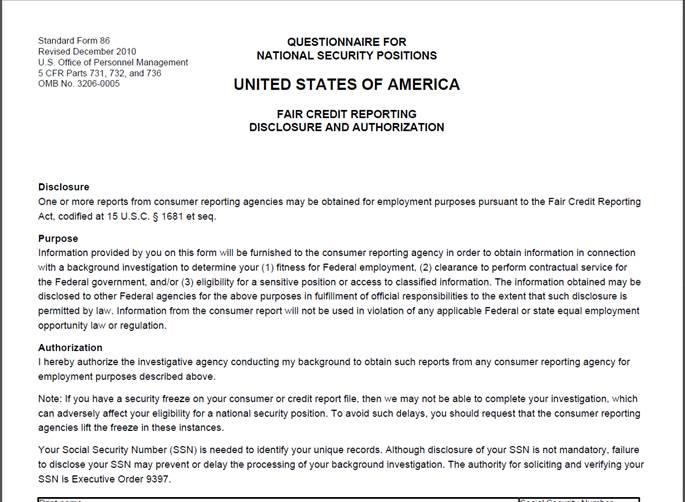
I am not going to try to "match wits" with the 40lb brain stems on here discussing Constitutional law, all I can share is that 1) I can kill someone with a rock, so does that mean we have to outlaw rocks? 2) we not only didn't lose rights during the eight years of the Obama administration, but actually gained them; so my prediction is that absolutely nothing in terms of firearms restrictions will come from this Vegas tragedy and rightfully so, 3) it is not surprising that the kooks are coming out of the woodwork anytime an incident involving a firearm occurs, it is what their idiotic contingents expand and actually demand, and lastly, 4) good luck trying to pull an Australia in Texas...this is our governor! We don't fuck around when it comes to our firearms, BBQ, religion or football!Got this from my civilian company security manager...
 Can anyone tell me if PVC patches are prohibited by any regs/instructions/etc? I saw several UPT ones while at the centrifuge at Brooks a few weeks ago, and have seen pics of a few bomber units' ones as well; but I was asked if they were allowed and honestly I have no fucking clue...Looks a lot like Judge Smails...It says sales are down, prices not so much... And it's not a big shock that would happen if a pro-gun Republican became president. Obama (and, God forbid, Clinton if she had won) obviously helped the firearms sales with their anti-gun rhetoric, but their other actions (such as Russian sanctions) also had a detrimental effect on the industry, so they (the firearms manufacturers) really need to be careful of what they wish for! Cheers! M218 U.S. Code §930 - Possession of firearms and dangerous weapons in Federal facilities specifically prohibits possession of a firearm or other dangerous weapon in a Federal facility, the latter being defined as "a building or part thereof owned or leased by the Federal Government, where Federal employees are regularly present for the purpose of performing their official duties." The term “dangerous weapon” means "a weapon, device, instrument, material, or substance, animate or inanimate, that is used for, or is readily capable of, causing death or serious bodily injury, except that such term does not include a pocket knife with a blade of less than 2½ inches in length." Notice of the provisions of subsections (a) and (b) shall be "posted conspicuously at each public entrance to each Federal facility, and notice of subsection (e) shall be posted conspicuously at each public entrance to each Federal court facility, and no person shall be convicted of an offense under subsection (a) or (e) with respect to a Federal facility if such notice is not so posted at such facility, unless such person had actual notice of subsection (a) or (e), as the case may be." Just to note, Subsection (a) states this "shall not apply to the possession of a firearm or other dangerous weapon by a Federal official or a member of the Armed Forces if such possession is authorized by law." How that would be determined--i.e. if a state-issued license is sufficient--is unknown. https://www.law.cornell.edu/uscode/text/18/930Do us all a favor and post the link on the BaseOps SIPRNET Intellipedia page (yes, there is one!)...Hey, at least he's read and is following the rules! That's more than many of the newbies...One of them graduated from the same high school I did, albeit 28 years later... Rest in peace, Marines!Yep, which is why you can apply for unemployment that first (and only) month. At least that is what they told me at TAP 11+ years ago. Since I started a contracting job while on terminal leave, it didn't apply in my case...I guy I work with is doing the same thing, and looked into railroad ties but said it was cost prohibitive for him. Plus, there is the concern of ricocheting from previous rounds embedded into the wood. With dirt it will get buried and the hole filled in, that doesn't happen with wood. You will eventually get rounds flying back at you, that is why most ranges use dirt berms as back stops. Use the railroad ties (or even old tires) as support for a berm......but not as the actual backstop!Notifications are being made, and families are identifying their lost loved ones... https://www.news4jax.com/news/jacksonville-marine-among-16-killed-in-plane-crashUnfortunately, it was quickly debunked... https://www.flyingmag.com/history-channels-amelia-earhart-story-quickly-unravelsWrong Leavenworth.



Account
Navigation
Search
Configure browser push notifications
Chrome (Android)
- Tap the lock icon next to the address bar.
- Tap Permissions → Notifications.
- Adjust your preference.
Chrome (Desktop)
- Click the padlock icon in the address bar.
- Select Site settings.
- Find Notifications and adjust your preference.
Safari (iOS 16.4+)
- Ensure the site is installed via Add to Home Screen.
- Open Settings App → Notifications.
- Find your app name and adjust your preference.
Safari (macOS)
- Go to Safari → Preferences.
- Click the Websites tab.
- Select Notifications in the sidebar.
- Find this website and adjust your preference.
Edge (Android)
- Tap the lock icon next to the address bar.
- Tap Permissions.
- Find Notifications and adjust your preference.
Edge (Desktop)
- Click the padlock icon in the address bar.
- Click Permissions for this site.
- Find Notifications and adjust your preference.
Firefox (Android)
- Go to Settings → Site permissions.
- Tap Notifications.
- Find this site in the list and adjust your preference.
Firefox (Desktop)
- Open Firefox Settings.
- Search for Notifications.
- Find this site in the list and adjust your preference.